 Chefkin
01
The saved video
You liked the reel, you bookmarked it. Finding it again among two hundred saves — while you’re standing in front of the fridge aisle — is not going to happen.
Chefkin takes a link, a TikTok video or a photo of a cookbook page and turns it into a proper recipe: ingredients with real quantities, steps, times, servings and calories. Then it walks you all the way to the shopping list and the stove.
They’re scattered across three apps’ bookmarks, your camera roll and a shelf of books. Every time you want to cook one, the hunt starts over.
You liked the reel, you bookmarked it. Finding it again among two hundred saves — while you’re standing in front of the fridge aisle — is not going to happen.
Grandma’s recipe is a photo among a thousand photos. You can’t search it, can’t scale it for six, can’t turn it into a shopping list.
The classics ask you to type in every single ingredient. You do it for two recipes, then you stop — and the collection stays half empty.
You’re not short on inspiration. You’re short on the one step nobody wants to do: typing it in.
From capture to dinner on the table: what used to be ten minutes of copy-paste is now one tap on Share.
Share the link straight from TikTok, Instagram, YouTube or your browser: the share extension opens Chefkin and the import starts on its own. Or paste the text, photograph the pages of a book, or upload your Paprika archive.
A video actually gets read: audio transcribed, caption and frames. Out comes a structured recipe card — ingredients with normalised quantities and units, numbered steps, times, servings, tags and a nutrition estimate.
The AI proposes, you confirm. Every field stays editable, and the ones the AI is least sure about arrive already highlighted, so you know where to look.
You search in your own words — “something quick with chicken” — because the search understands meaning, not just exact words. Plan the week and the shopping list builds itself, already split by supermarket aisle, with quantities added up.
At the stove, cooking mode keeps the screen awake, the steps large and the timers where they belong.
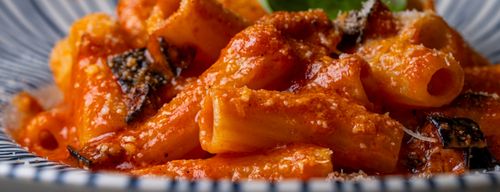
 Pasta and chickpeas
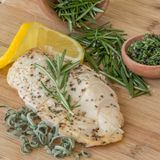 Lemon chicken
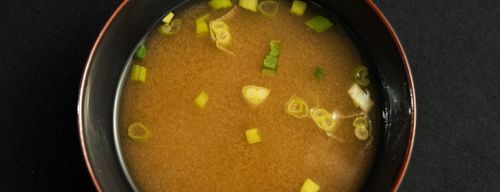 Miso soup
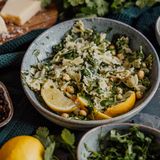
 Farro salad
TikTok, Instagram, YouTube. Chefkin uses the caption when that’s enough; otherwise it transcribes the audio and reads the quantities burned into the frames. What you get is a written recipe, not a saved link.
Full-text and semantic search together: “quick gluten-free pasta” also finds the recipe that never uses those words. With the classic filters always at hand — time, difficulty, diet, what’s in your fridge.
Add the week’s recipes: matching quantities add up and everything sorts the way the supermarket is laid out. One lap, no walking back to produce.
Screen always on, one step at a time in large type, ingredients at hand and timers that start from the right step. Your messy hands stay on the chopping board.
Calories and macros per serving, worked out from the ingredients with nothing to fill in. They’re estimates, said so plainly — and you can correct them whenever.
Even for what you didn’t cook: photograph the plate and get an estimate of calories and macros, ready to save to your diary.
From 4 people to 6 in one tap: quantities recalculated, units converted. Salt, yeast and spices don’t blindly double — they scale the way they do in a real kitchen.
“Can I use oil instead of butter?”, “How do I make this without an oven?” It answers about the recipe in front of you, not in general.
Upload your .paprikarecipes file and your recipes come in as one batch, with photos, notes and ratings. And whenever you want, you leave in the same format: they’re yours.
Kitchen Wi-Fi is always bad: your library lives on the phone and works with no signal. Changes sync as soon as the line is back, across all your devices.
Lemon and thyme chicken
Chickpea and rosemary pasta
Farro salad
The shopping list and cooking mode are complete on every plan, the free one included: they’re the things you’ll use every day.
No card required.
Or €39.99 a year.
Or €63.99 a year.
Links to sites and blogs, videos from TikTok, Instagram and YouTube, photos of cookbook pages or screenshots, pasted text (your mum’s message included), and Paprika archives. If you have no source at all, you can have the AI invent a recipe from what’s already in your kitchen.
It tries the caption first: the recipe is often already written there and the import is instant. If that’s not enough, it transcribes the audio and reads the text burned into the frames — which is where the quantities usually show up.
You fix it. That’s the principle the whole app is built on: the AI proposes, you confirm. Every field is editable before you save, the values the model is least sure about come highlighted, and if the import fails outright you’re not stuck — you fall back to assisted entry.
They’re estimates, and they’re labelled as such with the “✦ AI estimate” badge. They’re calculated from the recipe’s ingredients and quantities against a nutrition dictionary, then divided per serving. If you know the exact value you correct it, and the correction sticks.
Yes, both ways. You upload your .paprikarecipes file and the whole library comes in at once; and whenever you want, you export in the same format. Your recipes stay yours.
Your library lives on the phone: you search, open and cook even where the kitchen Wi-Fi doesn’t reach. You only need data to import a new recipe or to run a food scan, because that’s where the AI works. Everything else syncs as soon as the line is back.
The interface is in English and Italian. The import doesn’t care about language: a recipe in Spanish or Japanese still gets read and structured.
Chefkin is coming to the App Store and Google Play. Leave your email and be among the first to try it — 30 recipes free, no card.
Join the waitlist